Setting up Homelab - Windows Server 2008 R2 Metasploitable 3
Executive Summary
Running Windows Server 2008 R2 Metasploitable 3 inside Proxmox VE (KVM/QEMU) is essential for Windows offensive security testing, Active Directory exploration, and vulnerability analysis. However, converting VirtualBox-targeted .box appliances directly into QEMU virtual machines triggers an immediate STOP 0x0000007B INACCESSIBLE_BOOT_DEVICE Blue Screen of Death (BSOD).
This guide walks through extracting the disk image, diagnosing why standard SCSI and SATA attachments fail during kernel initialization, injecting early boot driver startup flags via the offline Windows Registry (regedit in WinRE), and finalizing the storage topology in Proxmox.
1. Environment Setup & Image Import
- Image Acquisition: Downloaded the
virtualboxtarget archive (.box, ~7.01 GB) from the Rapid7 HCP Vagrant Registry. - Archive Extraction: Uncompressed the
.boxfile (a standard TAR archive) to extract the virtual hard disk filebox-disk1.vmdk. - VM Shell Creation: Created VM frame
VM 104in Proxmox VE (No ISO media, default BIOS set to SeaBIOS). - CLI Disk Import: Imported the VMDK directly into Proxmox
local-lvmstorage using the shell:
qm importdisk 104 box-disk1.vmdk local-lvm --format qcow22. Initial Boot Failure & Symptom Analysis
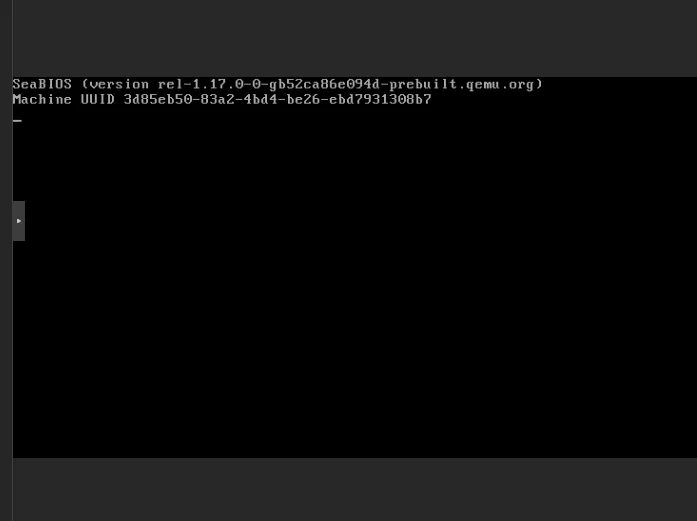
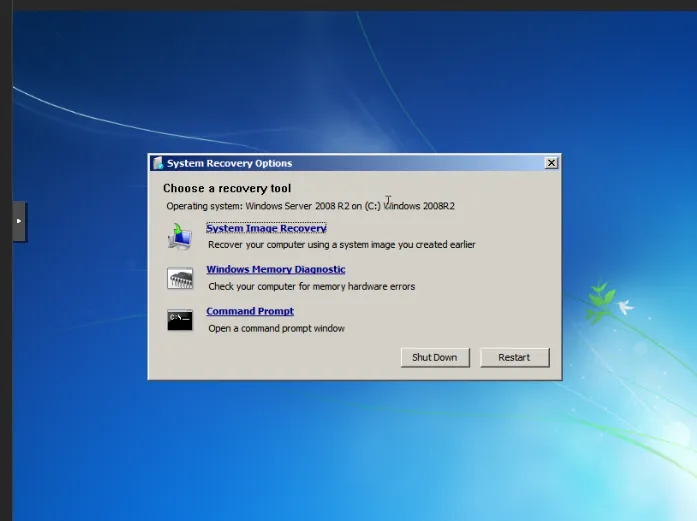
- Windows Error Recovery Menu: Booting the VM immediately triggered the “Windows Error Recovery” screen instead of loading the OS.
- Rapid Boot Loop: Selecting Start Windows Normally caused an immediate screen flicker, a high-speed Blue Screen of Death (BSOD), and a hard VM reboot.
- Troubleshooting Strategy: Forced Windows to freeze on crash screens to capture the exact hex STOP code rather than allowing automatic reboots.
3. BSOD Forensic Analysis
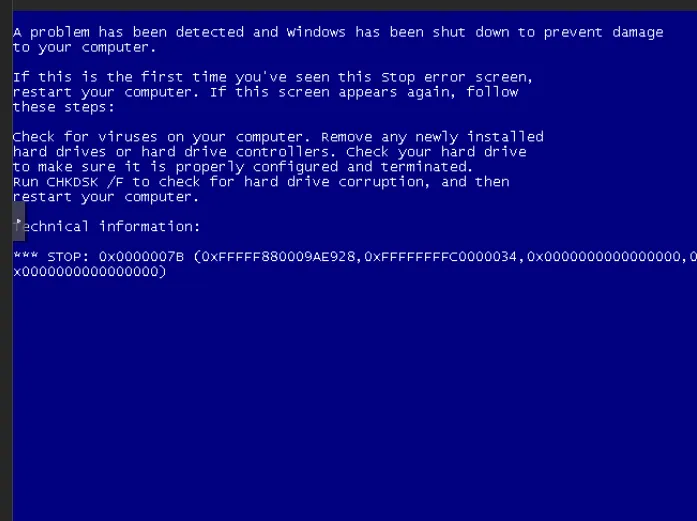
- Captured BSOD Error Code:
*** STOP: 0x0000007B (0xFFFFFFFFC0000034, 0x0000000000000000, 0x0000000000000000, 0x0000000000000000) - Primary Parameter (
0x0000007B): Maps toINACCESSIBLE_BOOT_DEVICE. - Secondary Parameter (
0xFFFFFFFFC0000034): Maps to NTSTATUSSTATUS_OBJECT_NAME_NOT_FOUND. - Diagnostic Conclusion:
- SeaBIOS and
bootmgrloaded successfully. - During Phase 0 kernel initialization, Windows attempted to mount
C:\Windows\System32\drivers. - The OS lacked active, initialized drivers for the virtual storage bus presented by QEMU.
- Windows crashed because it could no longer read its own boot disk.
- SeaBIOS and
4. Troubleshooting Matrix: What Was Attempted
+-----------------------------------------------------------------------------------+
|                           TROUBLESHOOTING MATRIX                                  |
+-------------------------------------+---------------------------------------------+
| Attempt                             | Result & Technical Cause                    |
+-------------------------------------+---------------------------------------------+
| 1. Changing CPU Type (`host`)       | FAILED: Crash caused by storage driver      |
|                                     | lockouts, not CPU instruction faults.       |
+-------------------------------------+---------------------------------------------+
| 2. Changing Bus to SATA (`sata0`)   | FAILED: `STOP 0x0000007B` persisted because |
|                                     | `msahci.sys` is disabled by default in VBox.|
+-------------------------------------+---------------------------------------------+
| 3. WinRE `bcdedit` Modifications    | FAILED: WinRE loaded temporary RAM disk (`X:\`)|
|                                     | without active binding to offline BCD store.|
+-------------------------------------+---------------------------------------------+
| 4. Offline Registry Hive Injection  | SUCCESS: Forces Windows to load IDE and SATA|
|    (`msahci`, `pciide`, `intelide`) | drivers during Phase 0 early boot.          |
+-------------------------------------+---------------------------------------------+
Attempt 1: Changing CPU Type (x86-64-v2 / host)
- Action: Switched CPU model in Proxmox UI to mask instruction sets.
- Result: FAILED.
- Why: The crash was caused by storage driver lockouts, not CPU instruction faults.
Attempt 2: Changing Bus Controller to SATA
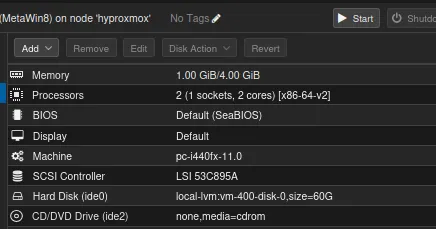
- Action: Attached disk under
sata0. - Result: FAILED.
STOP 0x0000007Bpersisted. - Why: Windows Server 2008 R2 has SATA AHCI drivers (
msahci.sys) disabled by default (Start = 3) on VirtualBox builds.
Attempt 3: Executing bcdedit Fixes in Recovery Console
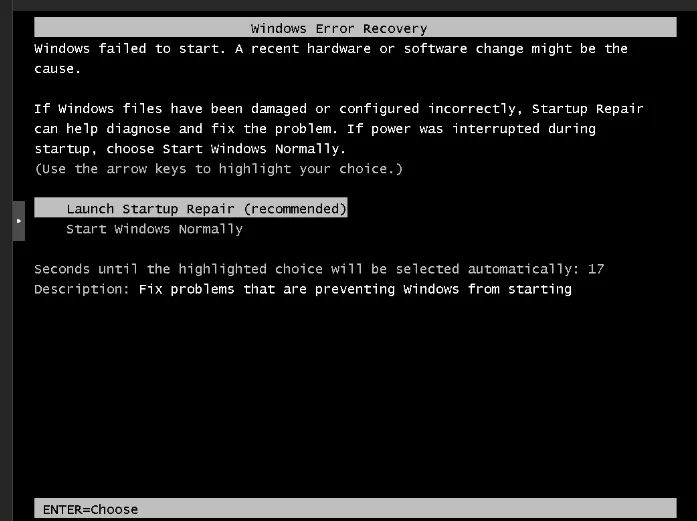
- Action: Ran
bcdedit /set {default} bootmenupolicy Legacyfrom WinRE. - Result: FAILED.
Element not found/Parameter incorrect. - Why: WinRE command prompt loaded a temporary RAM disk environment (
X:\), which lacked active binding to the offline system BCD store.
Attempt 4: Offline Registry Modification
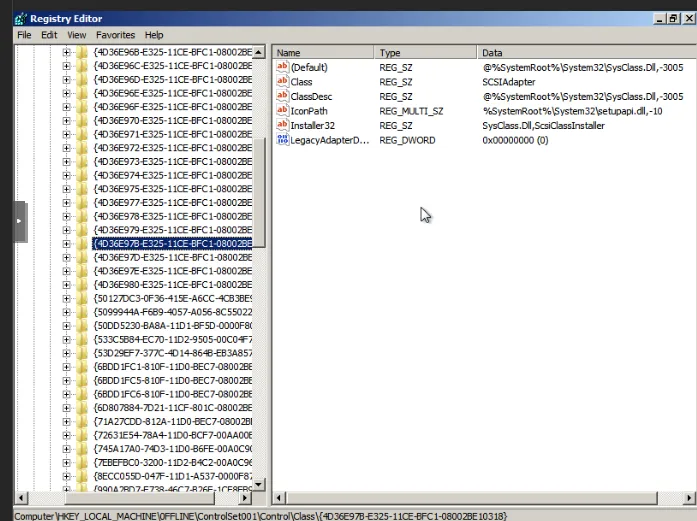
- Action: Loaded
C:\Windows\System32\config\SYSTEMhive in WinREregeditand updated storage driverStartkeys to0. - Result: SUCCESS. Forces Windows to load IDE and SATA drivers during early boot.
5. Step-by-Step Resolution
Step 1: Inject Driver Startup Keys via WinRE
- Boot VM into Startup Repair / System Recovery Options $\rightarrow$ Open Command Prompt.
- Launch
regedit. - Highlight
HKEY_LOCAL_MACHINE$\rightarrow$ Click File > Load Hive… - Select
C:\Windows\System32\config\SYSTEMand name itOFFLINE. - Navigate to
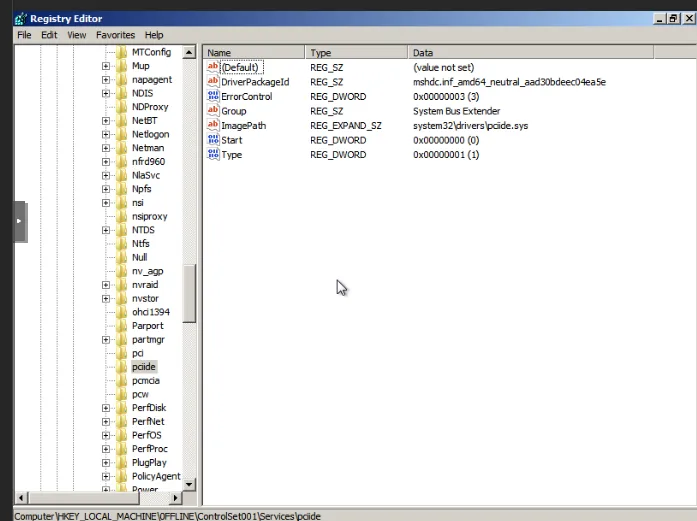
HKEY_LOCAL_MACHINE\OFFLINE\ControlSet001\services\. - Modify the
StartDWORDvalue to0(Boot Start) for these keys:msahci(SATA AHCI Driver)pciide(PCI IDE Driver)intelide(Intel IDE Driver)atapi(ATAPI Controller Driver)
- Highlight
OFFLINEkey $\rightarrow$ Click File > Unload Hive… $\rightarrow$ Exitregedit.
Step 2: Align Storage Bus Topology in Proxmox
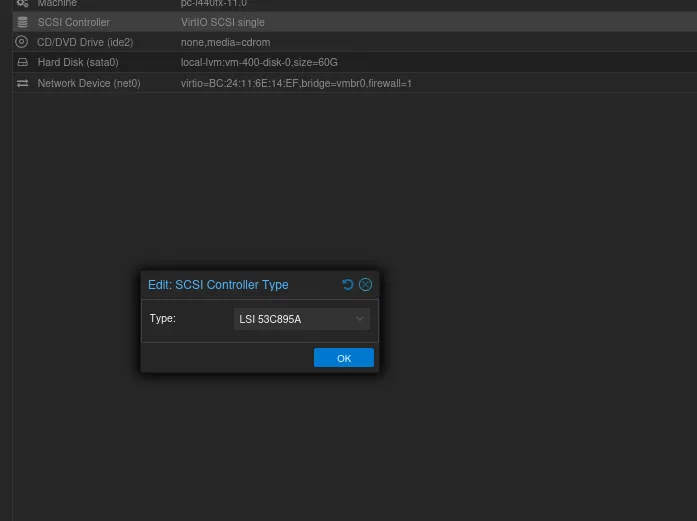
- Power off
VM 104. - In Proxmox UI, go to VM > Hardware.
- Detach the SATA disk.
- Select Unused Disk 0 $\rightarrow$ Click Edit $\rightarrow$ Set Bus/Device to IDE 0 (
ide0) or SCSI with LSI 53C895A controller. - In VM > Options > Boot Order, enable
ide0as the primary boot entry.
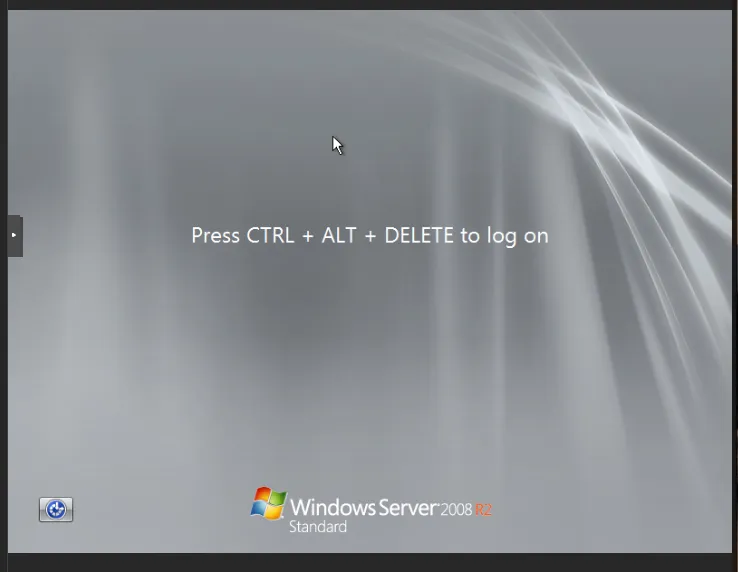
6. Guest Console Interaction & Login
- Problem: Pressing
CTRL + ALT + DELETEon a Linux host triggers host OS system reboot/logout dialogs instead of passing to the VM console. - Workaround Option A (Proxmox GUI):
- Click the left drawer tab (
>) on the noVNC Console window. - Click the Ctrl-Alt-Delete button in the side menu.
- Click the left drawer tab (
- Workaround Option B (Proxmox CLI):
- Run
qm sendkey 104 ctrl-alt-deletefrom the host shell.
- Run
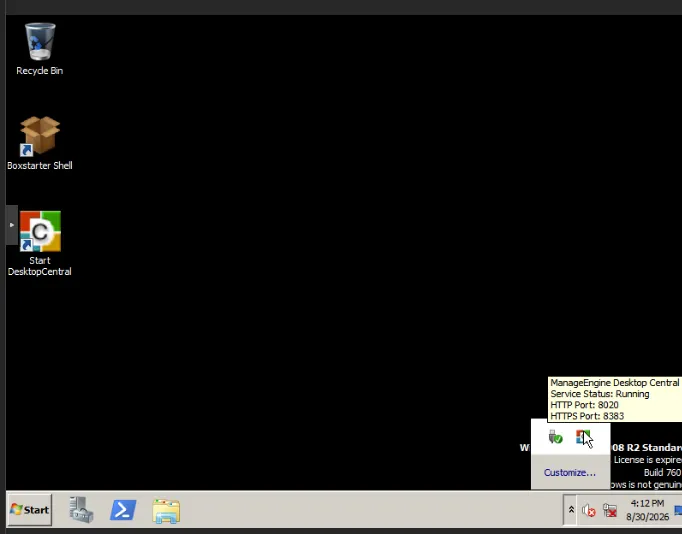
- Default Credentials:
- Username:
vagrant - Password:
vagrant
- Username:
7. Key Technical Lessons
- Virtual Appliance Portability: Pre-baked VM appliances often have storage drivers stripped or disabled except for the source hypervisor’s controller.
- WinRE Offline Hive Editing: When an OS will not boot, WinRE’s
regeditcan mount offline system hives fromSystem32\configto toggle driverStartvalues between0(boot),1(system),2(auto), and3(manual/disabled). - Storage Controller Fallback: Legacy Windows versions (Server 2008 / 7) reliably boot on standard IDE (
ide0) before paravirtualized VirtIO drivers are installed.