Network Provisioning in the Homelab: A PXE & iPXE Boot Server with Proxmox VE, RHEL 10, and netboot.xyz
Automating operating system deployment over the network is a core skill in infrastructure engineering, data centre operations and edge equipment rollout. Instead of flashing USB drives or attaching ISOs to VM consoles, the Preboot Execution Environment (PXE) lets a machine boot, and optionally install an OS, entirely over the LAN.
This guide builds a lab-grade, production-style PXE setup on a Proxmox VE homelab:
netboot.xyzrunning in a container on a RHEL 10 VMdnsmasqin proxyDHCP mode, so the main router is never touched- a custom iPXE menu
- a blank Proxmox VM that netboots into a live Alpine Linux environment
Along the way it explains the design decisions and the SELinux, firewall and boot-failure issues you are likely to hit.
Scope note. This is a homelab with VMs, not bare metal, and it is not hardened. PXE, TFTP and plain HTTP boot are unauthenticated. See Security Considerations before you reuse any of this on a shared network.
1. Architecture and Protocol Hand-off
A network boot is a relay race across several protocols, from NIC firmware up to an HTTP server.
  +-------------------------------------------------------------------------------+
  |                             Target Proxmox VM                                 |
  |   NIC PXE ROM -> TFTP: iPXE binary -> iPXE in RAM -> HTTP: kernel + initramfs |
  +-------------------------------------------------------------------------------+
        |                      ^                     |                      |
        | 1. DHCPDISCOVER      | 3. TFTP read        | 4. ProxyDHCP         | 5. HTTP
        |    (broadcast)       |    netboot.xyz.kpxe |    request (4011)    |    menu, kernel,
        v                      |    or .efi          v                      |    initramfs
  +-------------------+        |          +-------------------------------------------+
  | Main router/DHCP  |        |          |         RHEL 10 provisioning host         |
  | offers IP, GW, DNS|        +----------|  dnsmasq   : proxyDHCP (UDP 67 / 4011)    |
  +-------------------+                   |  netboot.xyz container (host network):    |
                                          |    TFTP (UDP 69), nginx (TCP 80),         |
                                          |    web UI (TCP 3000)                      |
                                          +-------------------------------------------+
The boot handshake
- Discovery (DHCP). The client broadcasts
DHCPDISCOVERwith PXE client-architecture information (option 93):0for legacy BIOS,7or9for 64-bit UEFI. - Addressing and boot instructions. The client needs two things: an IP configuration, and where to find a boot file. On a conventional PXE network, a single DHCP server supplies both, using next-server (
siaddr/ option 66) and boot file name (file/ option 67). In this lab the roles are split, as described in section 3. - Bootloader delivery (TFTP). The PXE ROM downloads a small bootloader over TFTP (UDP 69) into RAM.
- Kernel streaming (HTTP). Once iPXE is running it has its own TCP/IP stack, so the larger kernel and initramfs come over HTTP (TCP 80).
Why TFTP first, then HTTP
| Protocol | Port | Used for | Rationale |
|---|---|---|---|
| TFTP | UDP 69 | First-stage bootloader (.kpxe / .efi) |
Simple enough to fit in NIC firmware. It uses lock-step UDP acknowledgements, so it is slow for large files. |
| HTTP | TCP 80 | Menu scripts, kernels, initramfs, modloop | Runs over TCP, so it has windowing, retransmission and much better throughput. It also works with ordinary web servers and proxies. |
Note that iPXE can fetch everything over HTTP. TFTP is only needed to get iPXE itself into memory when the NIC’s built-in ROM cannot do HTTP.
2. Preparing the RHEL 10 Host
Container engine: Podman (recommended)
Podman is Red Hat’s supported container engine and ships in the RHEL repositories. Docker CE is not supported on RHEL; it works only through CentOS-compatible third-party repositories. Podman also avoids the legacy-iptables problem described in the Docker appendix.
sudo dnf install -y podmanRun the container as root (sudo podman). A rootless container cannot bind privileged ports such as TFTP (69) and HTTP (80) unless you lower net.ipv4.ip_unprivileged_port_start, which is a worse trade-off for a boot server.
Create the data directories
sudo mkdir -p /opt/netbootxyz/config /opt/netbootxyz/assets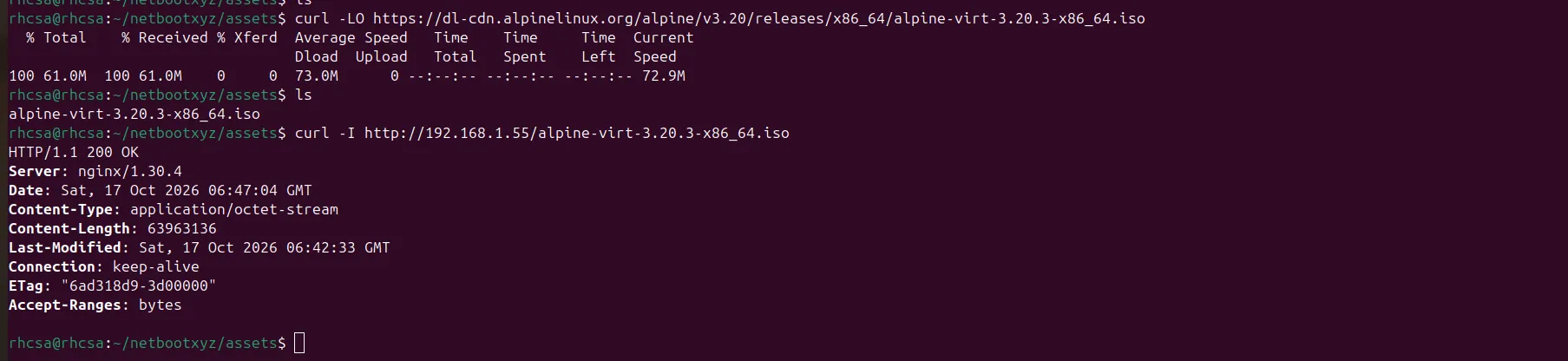
Deploy netboot.xyz with host networking
sudo podman run -d \
  --name netbootxyz \
  --net=host \
  -v /opt/netbootxyz/config:/config:z \
  -v /opt/netbootxyz/assets:/assets:z \
  --restart unless-stopped \
  ghcr.io/netbootxyz/netbootxyz
Two details matter here:
:zis required on RHEL. SELinux is enforcing by default. Without the:zrelabel option, the container is denied access to the bind-mounted directories and you will see permission errors even though the Unix permissions look correct. If you ever see unexplainedPermission deniedinside the container, runsudo ausearch -m avc -ts recentfirst.- Pin the image tag in real use.
latestis fine for a lab, but pin a version if you want repeatable builds.
For persistence across reboots, generate a systemd unit (a Quadlet file under /etc/containers/systemd/ is the modern approach on RHEL 10) instead of relying on the restart policy alone.
Why host networking?
netboot.xyz exposes TFTP on UDP 69, an nginx asset server on TCP 80, and a web UI on TCP 3000. Bridge mode with published ports (-p 69:69/udp -p 80:80 -p 3000:3000) is supported and documented by the project. Host networking is used here because TFTP is awkward behind NAT: the server answers the first request from UDP 69 but then transfers data from a different, ephemeral port, which is fragile through container NAT and port forwarding. Host networking removes that variable.
Note that the DHCP proxy does not live in the container. It runs on the host via dnsmasq (section 3), so host networking is purely a TFTP convenience.
Firewall (firewalld)
sudo firewall-cmd --permanent --add-service=tftp      # UDP 69 plus the TFTP conntrack helper
sudo firewall-cmd --permanent --add-service=dhcp      # UDP 67, receives client broadcasts
sudo firewall-cmd --permanent --add-port=4011/udp     # proxyDHCP boot-file requests
sudo firewall-cmd --permanent --add-service=http      # nginx asset server, TCP 80
sudo firewall-cmd --permanent --add-port=3000/tcp     # netboot.xyz web UI (lab LAN only)
sudo firewall-cmd --reload
Opening only 69/udp can leave TFTP transfers stalling at the first data packet, because the server replies from a different port. The tftp service pulls in the right conntrack helper. If TFTP still stalls, capture on the server (sudo tcpdump -ni any udp port 69) and confirm that data packets are flowing in both directions.
Restrict TCP 3000 to your management network. The web UI is for administration and should not be reachable by arbitrary clients.
3. Non-Disruptive Provisioning: dnsmasq in ProxyDHCP Mode
Many networks, from a home ISP router to a managed enterprise network, make it impractical to add boot options to the main DHCP server. ProxyDHCP solves this.
How it works:
- The client broadcasts
DHCPDISCOVERwith PXE options. - The main router replies with a normal offer: IP address, mask, gateway, DNS.
dnsmasqalso replies, with an offer that carries no IP address, only PXE boot information (including PXE vendor option 43).- The client then sends a follow-up request directly to the proxy on UDP 4011, and the proxy answers with the boot server and boot file name.
In day-to-day terms this is “options 66 and 67 delivered by a second server”, but strictly the proxy uses the siaddr and file fields plus option 43 rather than literal options 66/67.
Client broadcasts DHCPDISCOVER
   |
   |--> Router (DHCP):       IP address, subnet, gateway, DNS
   |
   '--> dnsmasq (proxyDHCP): "boot file = netboot.xyz.kpxe, server = 192.168.1.55"
                              (client confirms on UDP 4011)
Install and configure
sudo dnf install -y dnsmasqCreate /etc/dnsmasq.d/pxe-proxy.conf:
# Disable the DNS function; the router handles DNS
port=0

# ProxyDHCP on the lab subnet: answers PXE clients, never hands out IPs
dhcp-range=192.168.1.0,proxy

# Select the bootloader by client architecture (DHCP option 93)
#   X86PC       = type 0  : legacy BIOS
#   BC_EFI      = type 7  : UEFI byte code (sent by many UEFI clients, incl. OVMF)
#   x86-64_EFI  = type 9  : UEFI x86-64
pxe-service=X86PC,      "netboot.xyz (BIOS)", netboot.xyz.kpxe, 192.168.1.55
pxe-service=BC_EFI,     "netboot.xyz (UEFI)", netboot.xyz.efi,  192.168.1.55
pxe-service=x86-64_EFI, "netboot.xyz (UEFI)", netboot.xyz.efi,  192.168.1.55

# Verbose DHCP logging (disable once things work)
log-dhcp
Notes:
- dnsmasq’s
x86-64_EFImatches type 9 only. Many UEFI clients send type 7, so mapBC_EFIas well, or your UEFI VMs will not receive a boot file. 192.168.1.55is the RHEL host running the container. Adjust the subnet and IP to your LAN.- dnsmasq’s built-in TFTP server is not enabled here. TFTP is served by the netboot.xyz container.
Validate and start:
sudo dnsmasq --test
sudo systemctl enable --now dnsmasq
sudo ss -ulnp | grep -E ':(67|4011)\b'   # confirm it is listening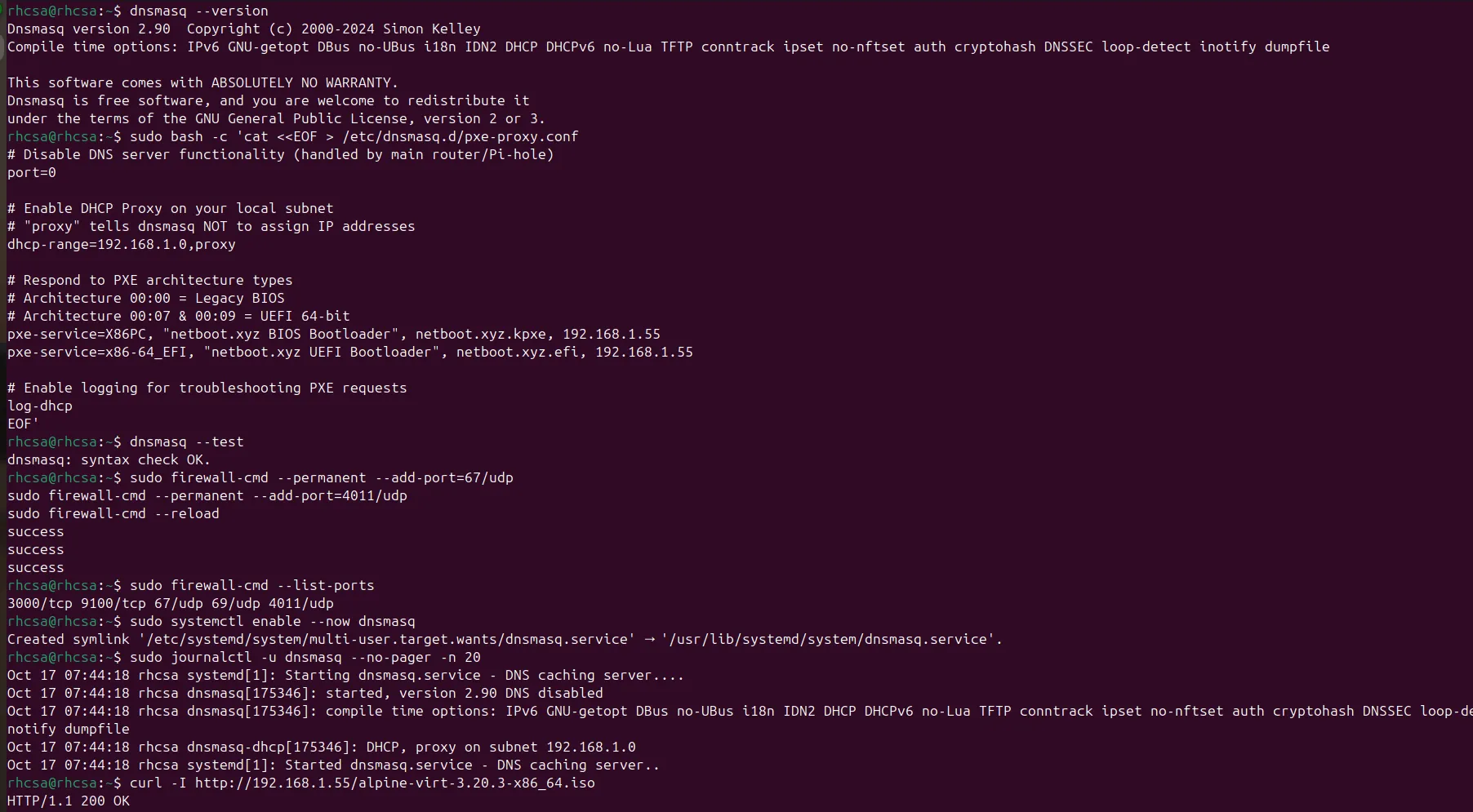
4. The iPXE Menu and Alpine Netboot Assets
netboot.xyz uses two directories:
/config: configuration, generated menus and local menu overrides/assets: served as the nginx web root. Any file in/opt/netbootxyz/assets/is available athttp://<SERVER_IP>/<filename>.
nginx on port 80 serves the assets directory. The first-stage bootloader binaries (netboot.xyz.kpxe / .efi) are delivered over TFTP in this design.
Download Alpine’s netboot files
Alpine publishes dedicated netboot artefacts: a kernel, an initramfs that includes network drivers and a DHCP client, and a modloop with the kernel modules. Alpine 3.20 reached end of life in April 2026, so use a current supported release.
ALPINE_BRANCH=v3.22        # use a currently supported branch
ALPINE_REL=3.22.2          # exact point release; check the directory listing
BASE=https://dl-cdn.alpinelinux.org/alpine/${ALPINE_BRANCH}/releases/x86_64/netboot-${ALPINE_REL}

sudo mkdir -p /opt/netbootxyz/assets/alpine
cd /opt/netbootxyz/assets/alpine

sudo curl -fLO ${BASE}/vmlinuz-virt
sudo curl -fLO ${BASE}/initramfs-virt
sudo curl -fLO ${BASE}/modloop-virt

# Directories need the execute bit for nginx to traverse them; files only need read.
sudo chmod -R u=rwX,go=rX /opt/netbootxyz/assets/alpine
Verify the URL. Alpine’s netboot directory name includes the point release, and the point release changes. Browse
https://dl-cdn.alpinelinux.org/alpine/<branch>/releases/x86_64/to find the correctnetboot-<version>directory.curl -fmakes a bad URL fail loudly instead of saving an HTML error page.
A common mistake is chmod -R 644 on a directory tree. That removes the execute bit from directories, so nginx cannot enter them and every request returns 403.
Write custom.ipxe
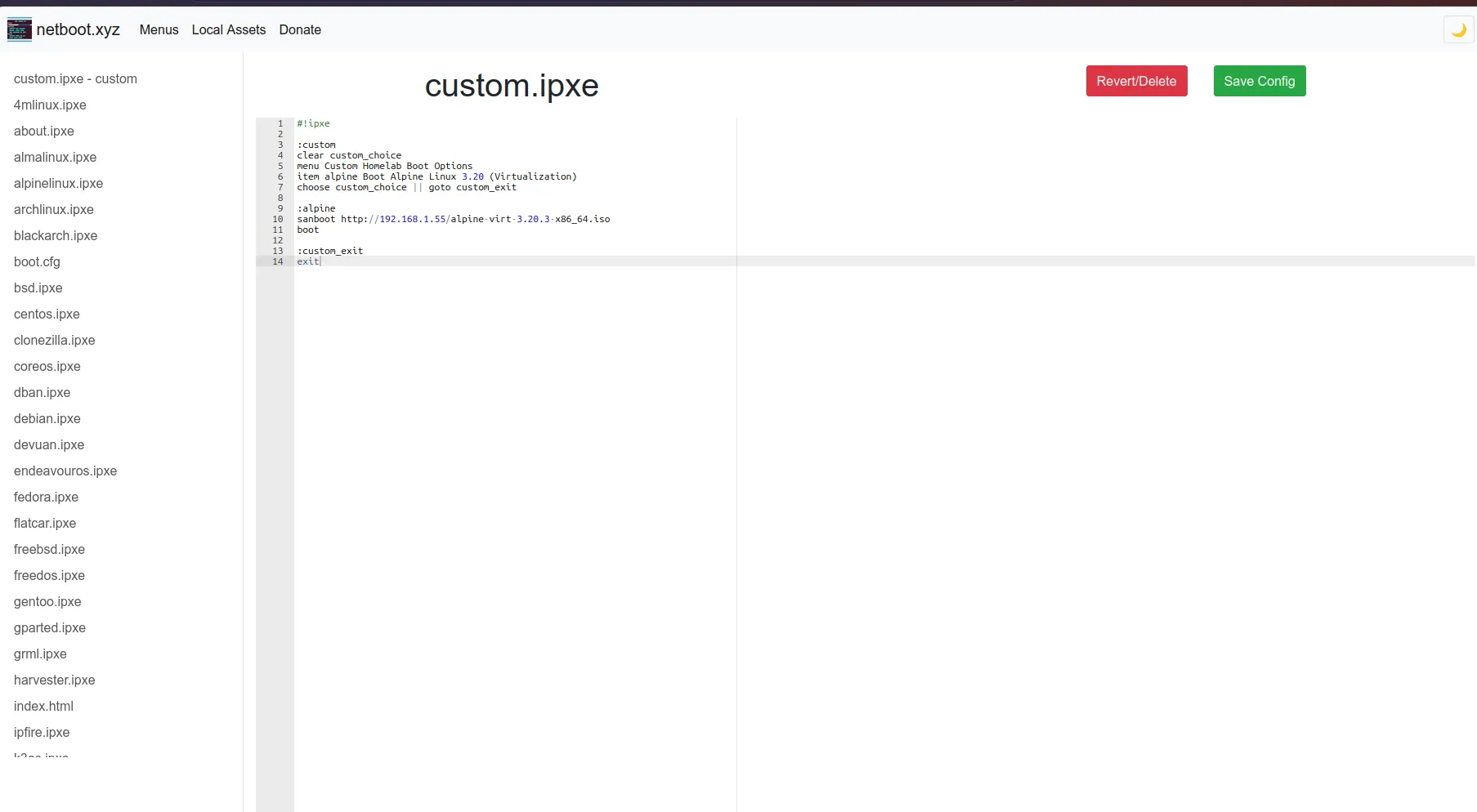
Create /opt/netbootxyz/assets/custom.ipxe:
#!ipxe

:custom
clear custom_choice
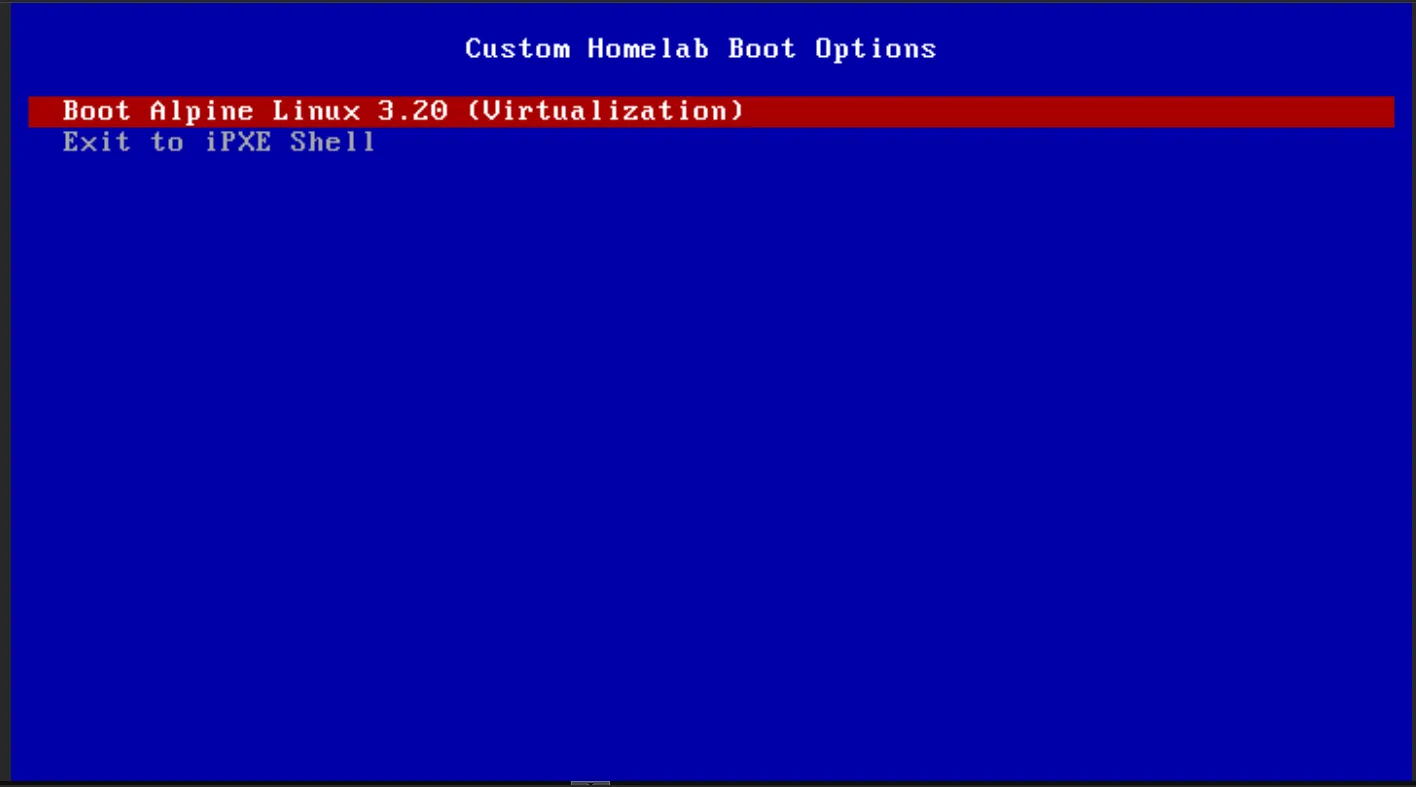
menu Custom Homelab Boot Options
item alpine Boot Alpine Linux (netboot)
item shell  Drop to iPXE shell
choose custom_choice || goto custom
goto ${custom_choice}

:alpine
echo Booting Alpine Linux netboot over HTTP...
kernel http://192.168.1.55/alpine/vmlinuz-virt ip=dhcp alpine_repo=https://dl-cdn.alpinelinux.org/alpine/v3.22/main modloop=http://192.168.1.55/alpine/modloop-virt
initrd http://192.168.1.55/alpine/initramfs-virt
boot || goto custom

:shell
shell
sudo chmod 644 /opt/netbootxyz/assets/custom.ipxeKernel parameter rationale:
ip=dhcpmakes the early userspace bring up the network interface and obtain an address before it needs anything over the network.alpine_repo=tells Alpine where to fetch packages (such asopenssh) in the live environment.modloop=tells Alpine’s init to download the kernel-module image over HTTP instead of looking for a CD-ROM.
The goto ${custom_choice} line is what turns a menu selection into a jump. Without it, iPXE reaches the end of the menu block and exits.
How the custom menu gets loaded
Placing custom.ipxe in /assets makes it available; it does not make netboot.xyz show it automatically. There are two ways to use it:
-
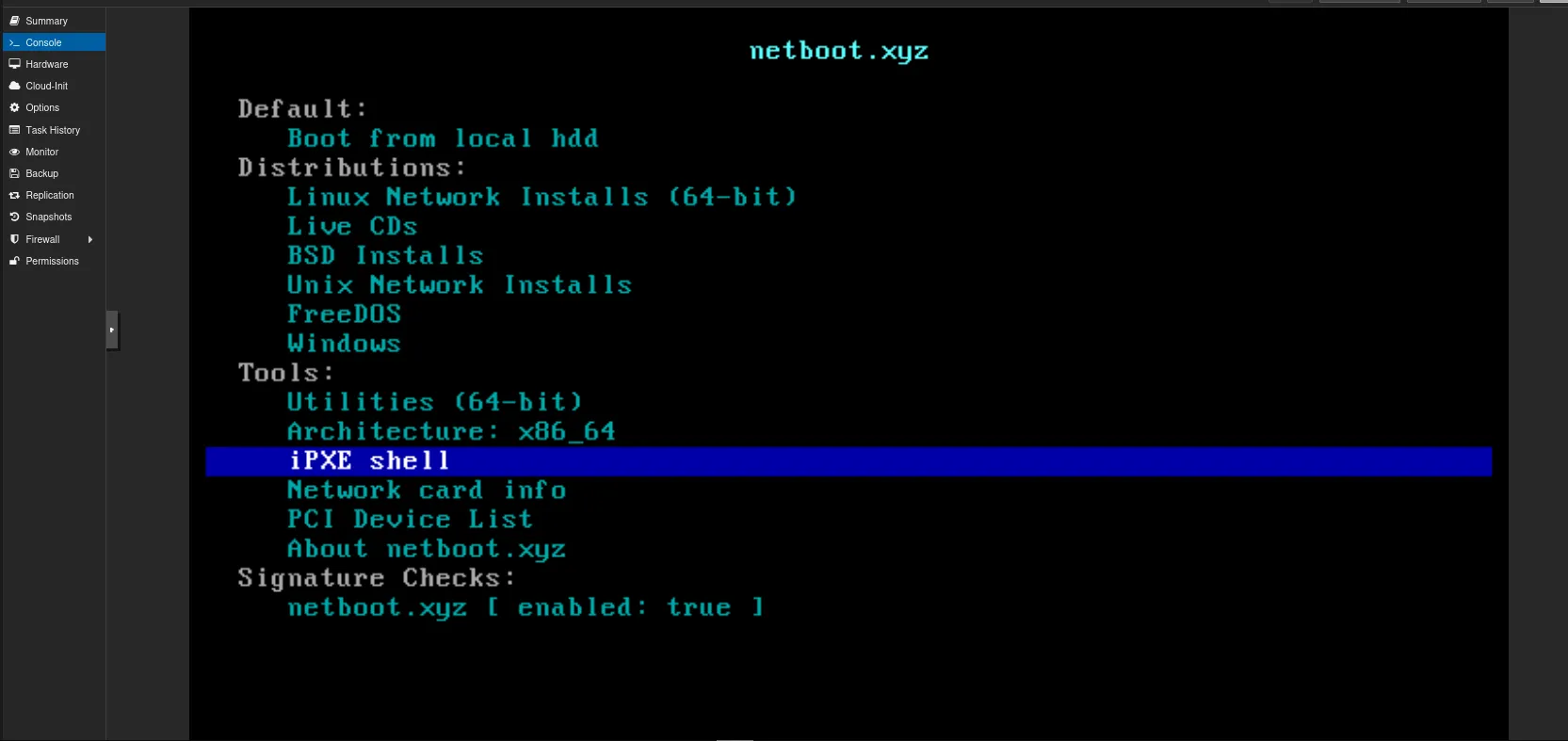
Manual chain (simplest, and what this guide tests with). At the iPXE prompt (press
Ctrl+Bduring boot, or use the shell option in the netboot.xyz menu):chain http://192.168.1.55/custom.ipxe -
Integrated into the netboot.xyz menu. Use netboot.xyz’s local menu override mechanism (files under
/config/menus/and the web UI’s local menu support) so your entries appear in the main menu. Check the netboot.xyz documentation for the override file names supported by your container version, since they have changed between releases.
5. Booting the Target VM
Proxmox VM settings
- OS tab: Do not use any media.
- System tab: BIOS = SeaBIOS (matches the
X86PCentry), or OVMF (UEFI) with the EFI disk’s pre-enrolled keys / Secure Boot off. - Disks / hardware: a small virtual disk is enough for a live-boot test; use VirtIO NIC.
- Options > Boot Order: move net0 to the first position.
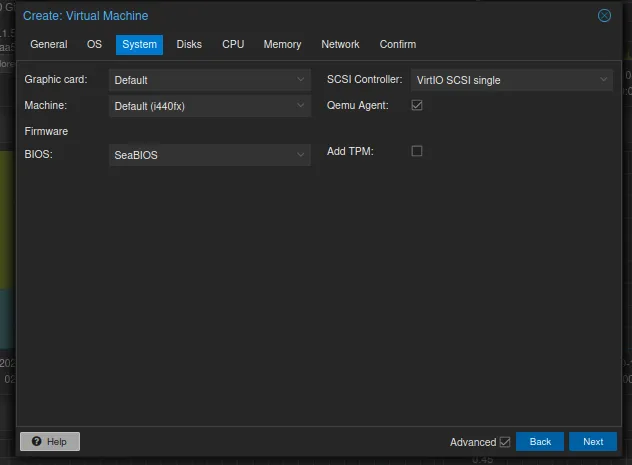
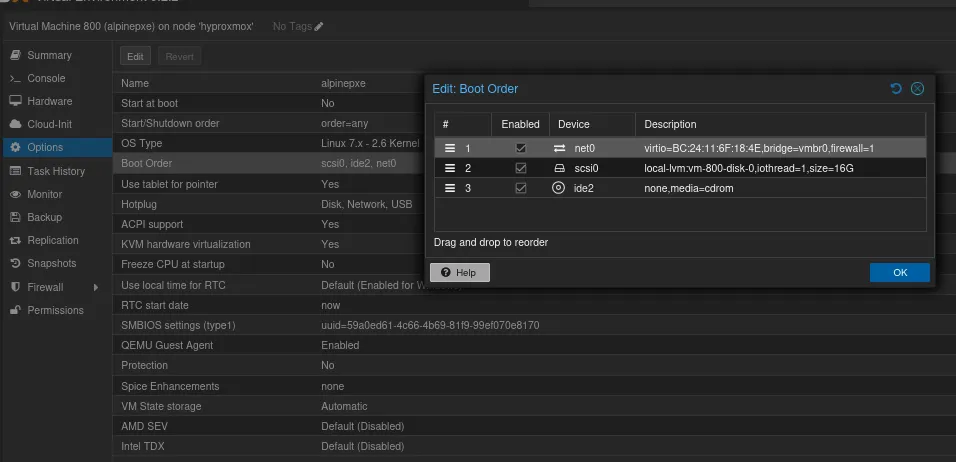
Expected sequence
- The VM broadcasts DHCP. The router supplies the IP configuration; dnsmasq supplies the boot file.
- The PXE ROM downloads
netboot.xyz.kpxeover TFTP and starts iPXE. - iPXE loads the netboot.xyz menu. Chain to
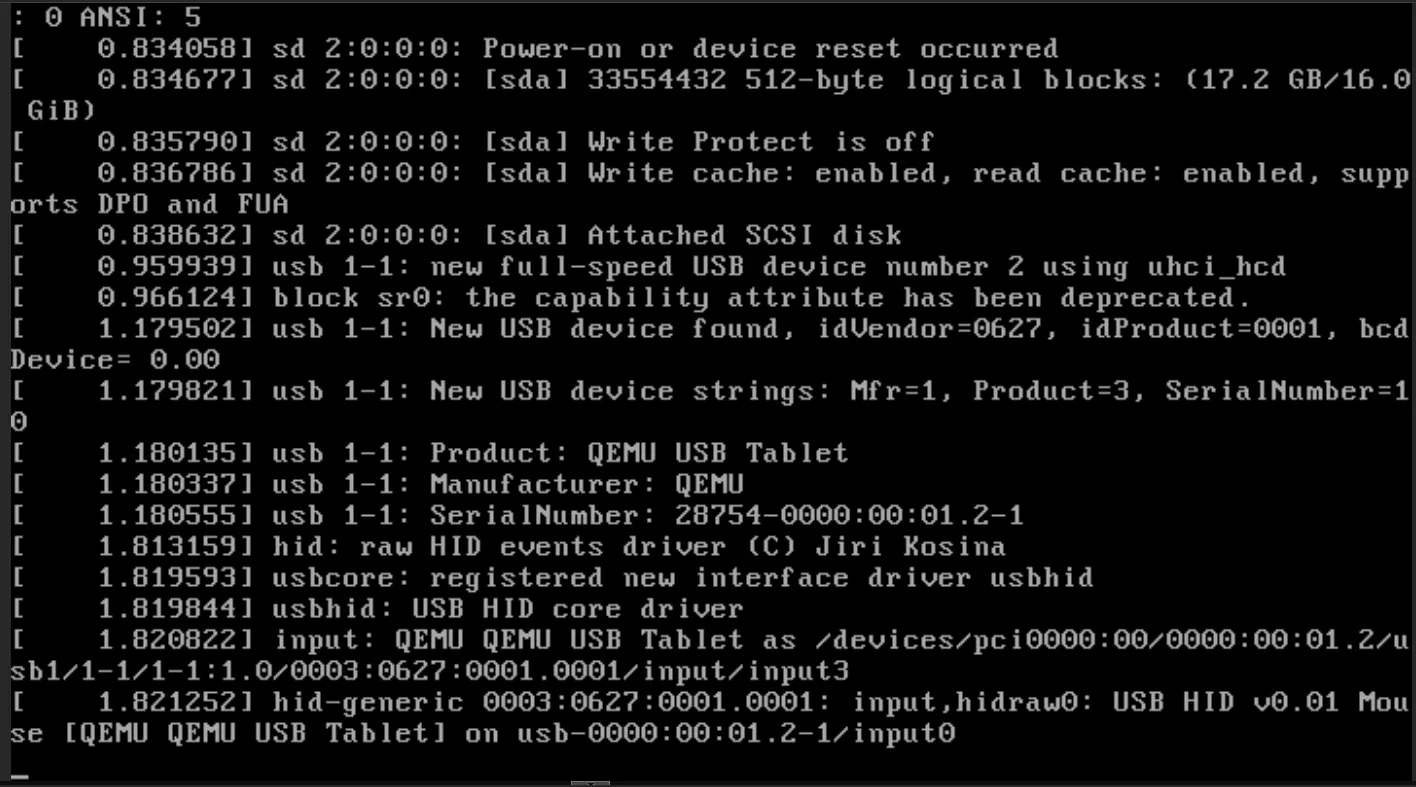
custom.ipxe(or select your local entry) and choose Boot Alpine Linux. - iPXE pulls the kernel and initramfs over HTTP. The kernel configures
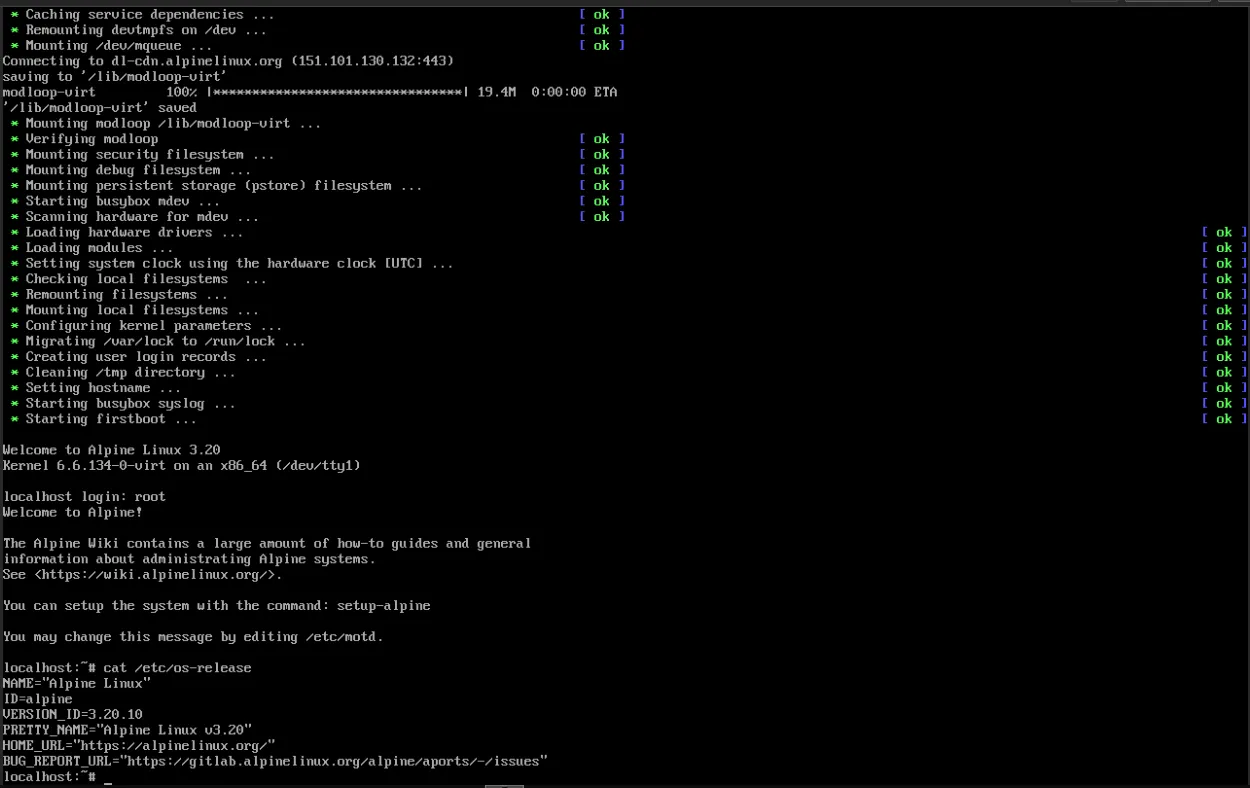
eth0throughip=dhcp, mounts the modloop, and reaches a login prompt:
Welcome to Alpine Linux
Kernel 6.x.x-virt on an x86_64 (/dev/tty1)

localhost login: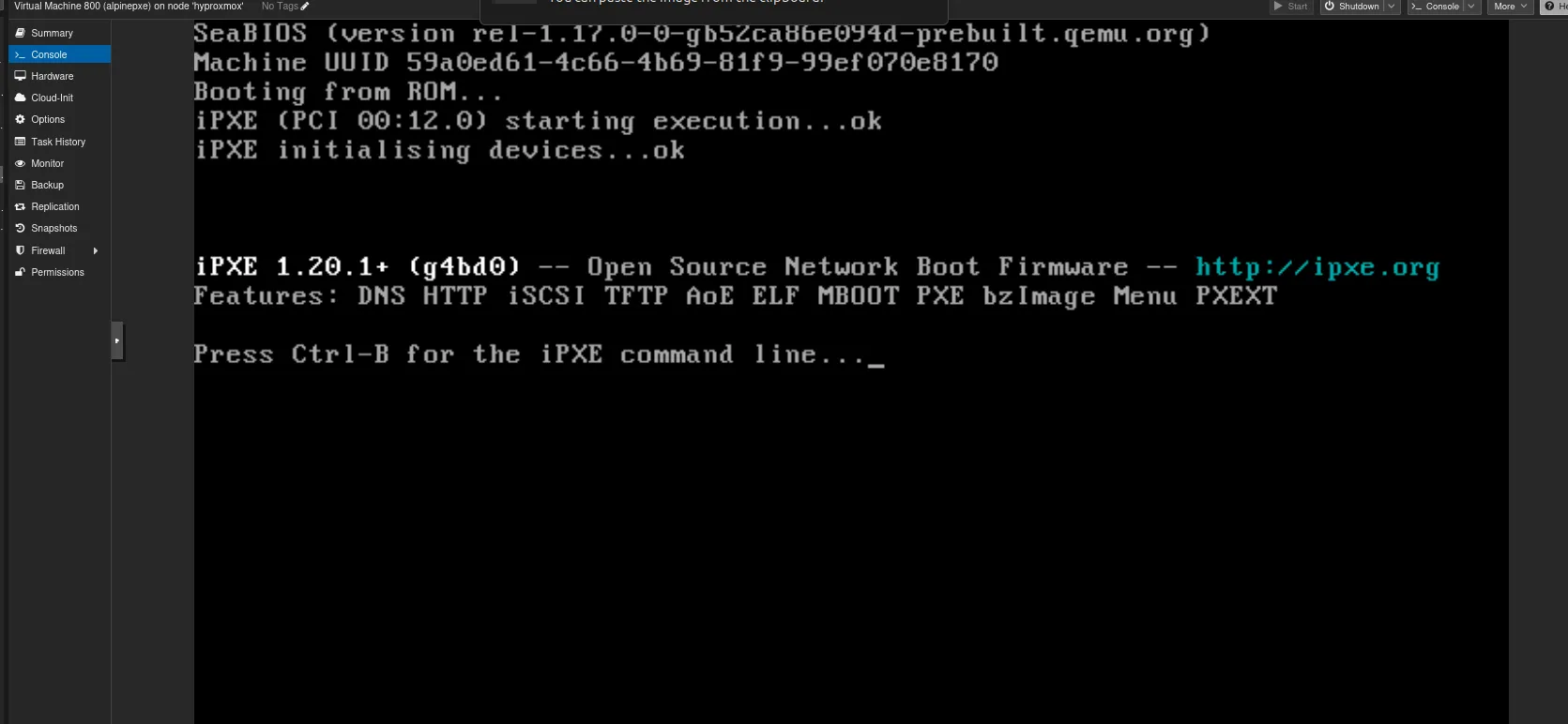
Using the live environment (lab only)
Log in as root (no password in the live image), then:
passwd                      # set a root password
ip addr show eth0           # confirm the address (BusyBox has no `hostname -I`)
setup-sshd -c openssh       # install and start OpenSSH
Alpine uses OpenRC and BusyBox rather than systemd and GNU coreutils. To permit root login over SSH in this throwaway environment:
sed -i 's/^#\?PermitRootLogin.*/PermitRootLogin yes/' /etc/ssh/sshd_config
rc-service sshd restart
You can then connect with ssh root@<ALPINE_IP>.
Diskless mode is stateless. A netbooted Alpine runs entirely from RAM. Anything you set up (the root password,
rc-update add sshd) is gone on reboot unless you persist it with Alpine’slbu committo local storage. For a throwaway lab VM that is a feature, not a bug.
6. Troubleshooting Guide
Work from the bottom of the stack up: addressing, then proxyDHCP, then TFTP, then HTTP, then the kernel.
Does the VM get an IP address?
 |-- NO  --> Router/DHCP or Proxmox bridge/VLAN problem
 '-- YES --> Does the VM receive a boot file name?
              |-- NO  --> dnsmasq running? UDP 67/4011 open? Correct pxe-service for the client arch?
              '-- YES --> Does TFTP deliver netboot.xyz.kpxe/.efi?
                           |-- NO  --> firewalld tftp service / container running / SELinux labels
                           '-- YES --> Does the menu load and the kernel download over HTTP?
                                        |-- NO  --> nginx root (/assets), file permissions (403), URL typos
                                        '-- YES --> Kernel boot problems (see issues 6-7)
Useful commands on the RHEL host:
sudo journalctl -u dnsmasq -f                  # watch DHCP/proxy conversations (log-dhcp)
sudo podman logs -f netbootxyz                 # TFTP and nginx activity
sudo tcpdump -ni any 'udp port 67 or udp port 68 or udp port 69 or udp port 4011'
sudo ausearch -m avc -ts recent                # SELinux denials
Issue 1: Nothing to boot: No such file or directory
net0: 192.168.1.105/255.255.255.0 gw 192.168.1.254
Nothing to boot: No such file or directory (http://ipxe.org/2d03e13b)
No more network devices- Cause: The VM got an IP from the router but no boot file name from a PXE proxy, so the iPXE ROM built into Proxmox had nothing to chain to.
- Fix: Confirm dnsmasq is running in proxy mode, UDP 67 and 4011 are open, and the
pxe-serviceline matches the client’s firmware type (BIOS vs UEFI, including theBC_EFImapping).
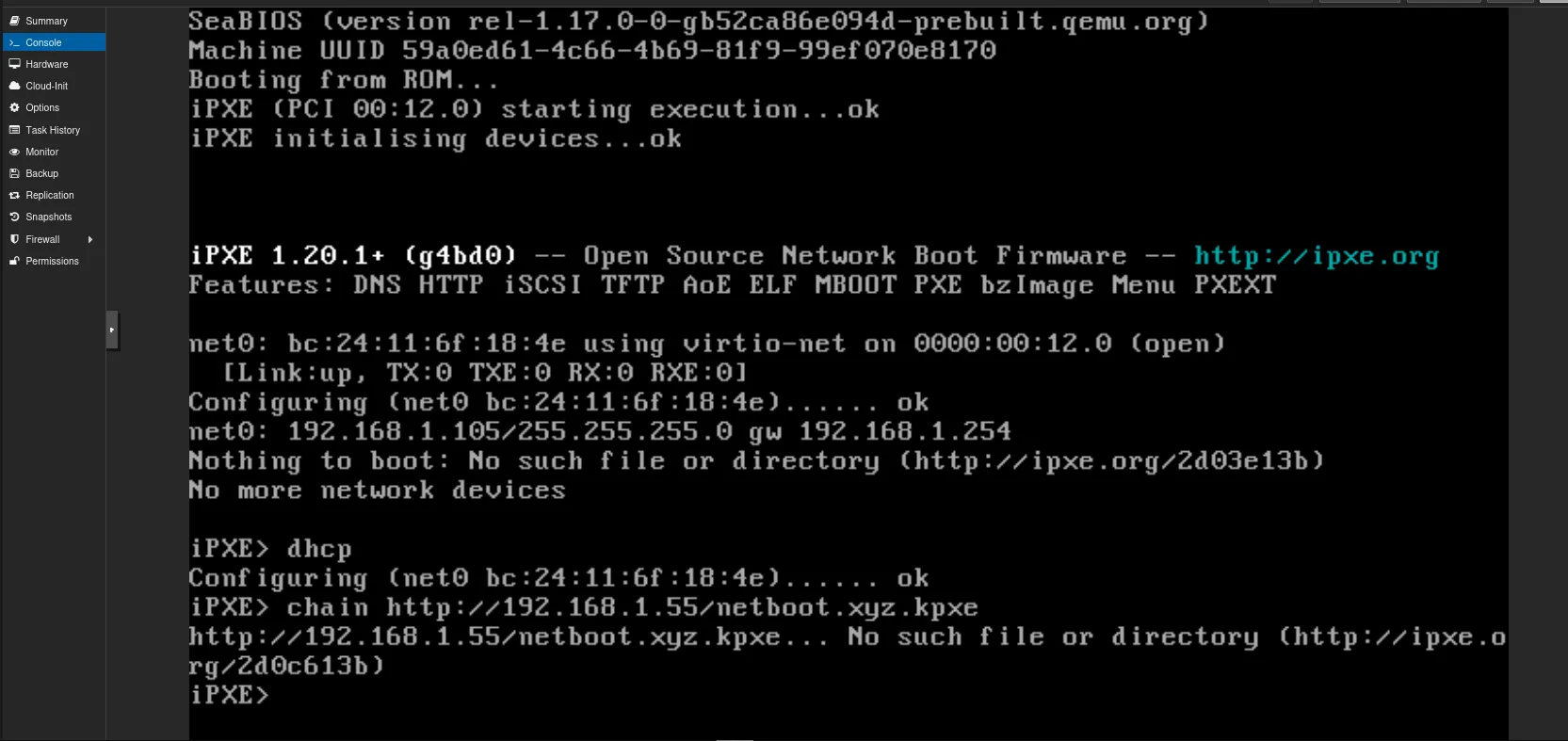
Issue 2: No such file or directory when chaining the bootloader over HTTP
iPXE> chain http://192.168.1.55/netboot.xyz.kpxe
http://192.168.1.55/netboot.xyz.kpxe... No such file or directory (http://ipxe.org/2d0c613b)- Cause: In this setup, the bootloader binaries are served over TFTP, not from the nginx assets directory on port 80.
- Fix: Chain over TFTP (
chain tftp://192.168.1.55/netboot.xyz.kpxe), or fetch the HTTP menu script directly (chain http://192.168.1.55/custom.ipxe).
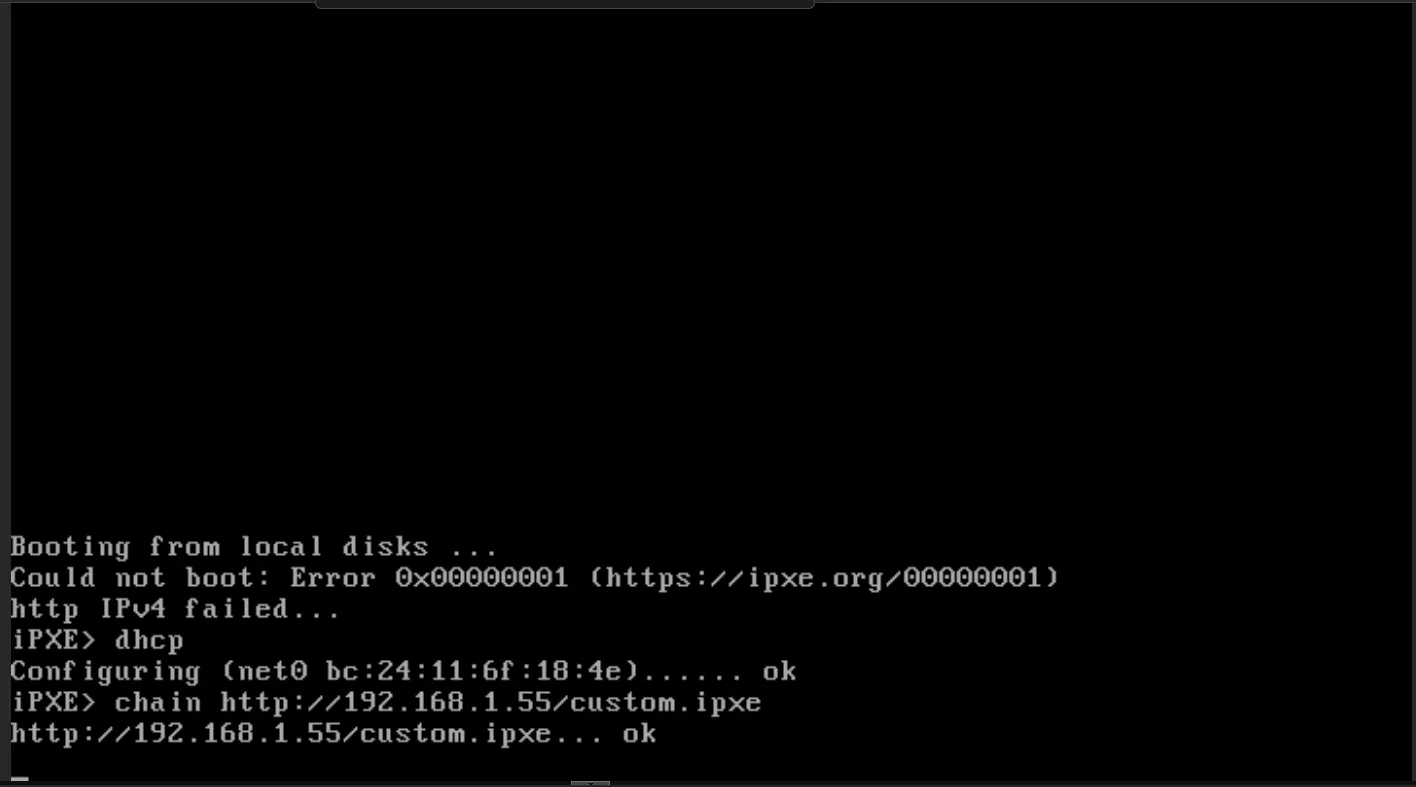
Issue 3: Could not boot: Error 0x00000001 / iPXE exits immediately
iPXE> chain http://192.168.1.55/custom.ipxe
http://192.168.1.55/custom.ipxe... ok
Could not boot: Error 0x00000001- Cause: The script finished without booting anything. Typical reasons: a menu selection that is never turned into a jump (
goto ${custom_choice}missing), a label that does not exist, or a missingbootcommand. - Fix: Start the script with
#!ipxe, makechoosefall back to a valid label, includegoto ${custom_choice}, and keep aboot || goto customafterkernelandinitrd.
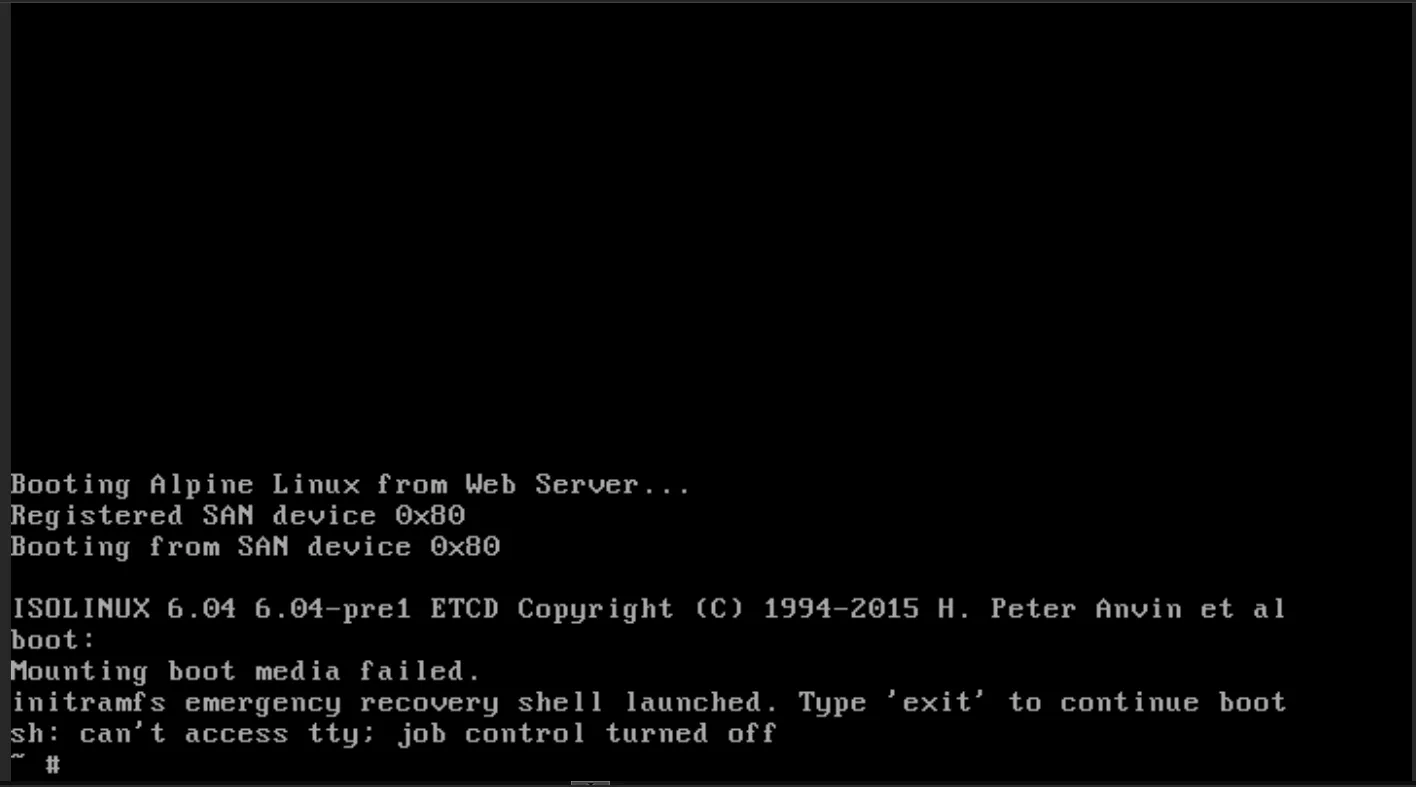
Issue 4: HTTP 403 when fetching assets
- Cause: Directory permissions.
chmod -R 644removes the execute bit from directories, so nginx cannot traverse them. SELinux labels on the bind mount can cause the same symptom. - Fix:
chmod -R u=rwX,go=rXon the asset tree, and use the:zoption on the volume mounts.
Issue 5: Container cannot read or write its mounts
- Cause: SELinux enforcing, with bind mounts that lack the container label.
- Fix: Add
:zto the-voptions and recreate the container. Checkausearch -m avcto confirm.
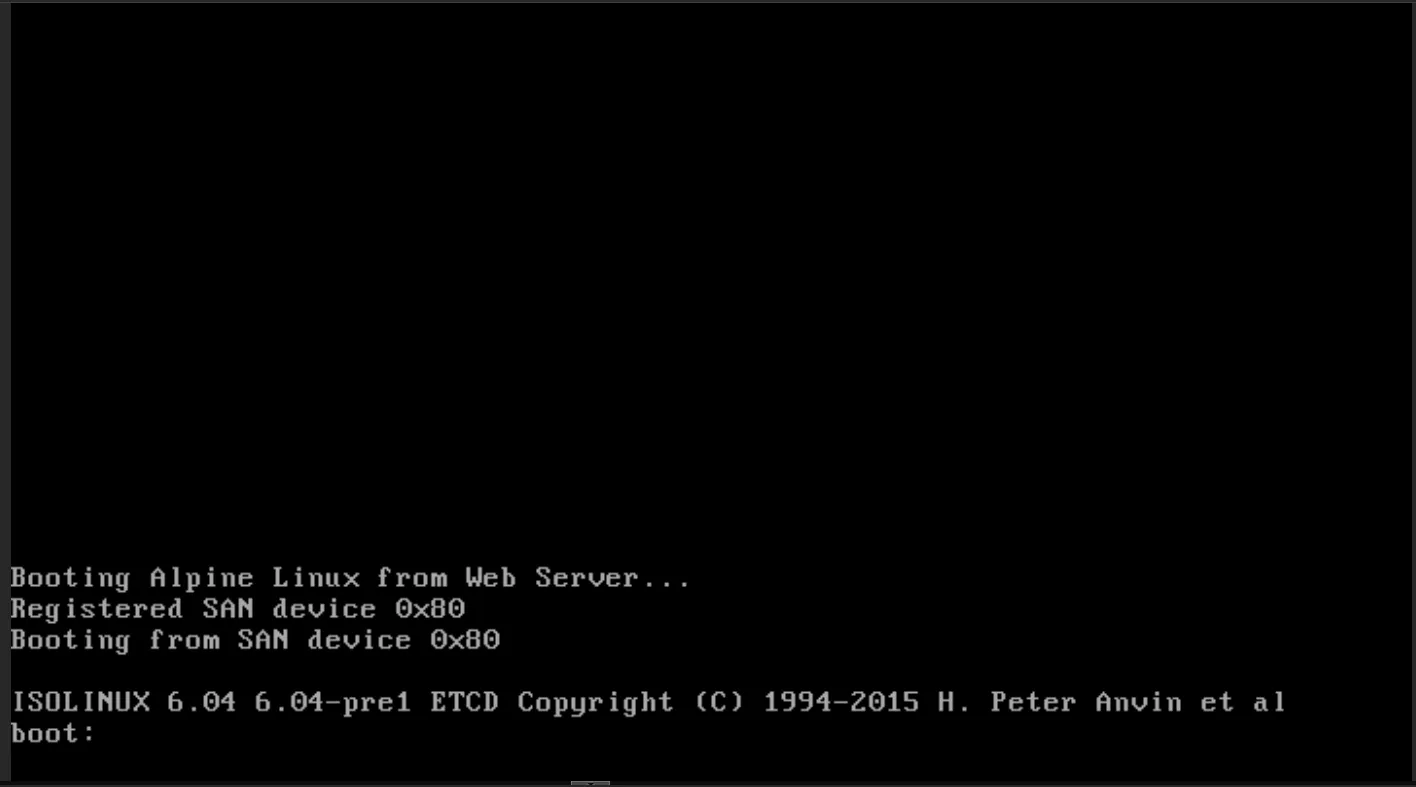
Issue 6: Mounting boot media failed after sanboot of an ISO
ISOLINUX 6.04 ...
boot:
Mounting boot media failed.
initramfs emergency recovery shell launched.- Cause:
sanbootof an ISO exposes the image to the BIOS as a virtual drive, but that BIOS hook is not usable once the Linux kernel takes over the hardware. Alpine’s ISO initramfs then expects a real CD-ROM device and cannot find its boot media.s - Fix: Skip ISO SAN-booting. Boot Alpine’s netboot kernel and initramfs directly with
kernel/initrd, as in section 4.
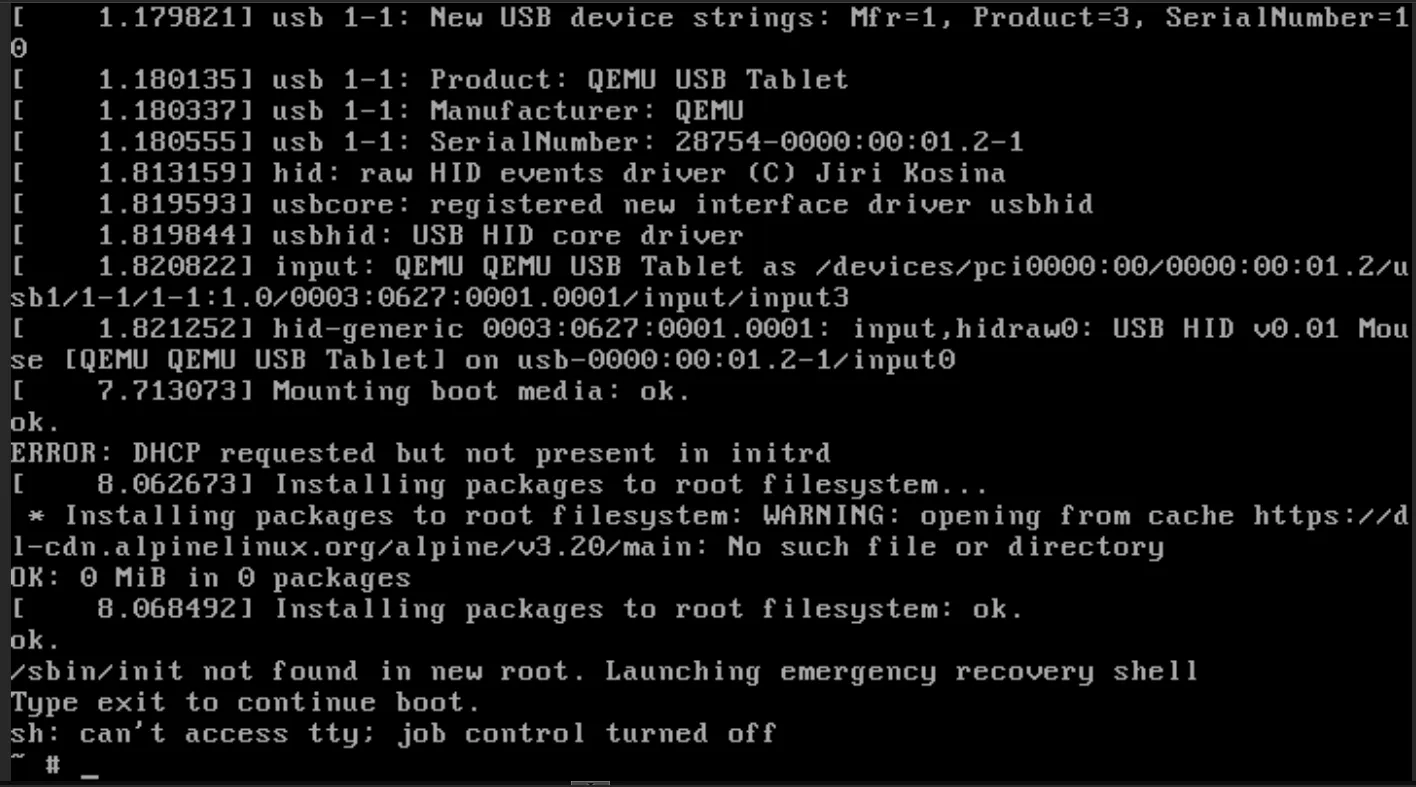
Issue 7: DHCP requested but not present in initrd and /sbin/init not found
ERROR: DHCP requested but not present in initrd
WARNING: opening from cache https://dl-cdn.alpinelinux.org/...: No such file or directory
/sbin/init not found in new root. Launching emergency recovery shell- Cause: The initramfs in use does not contain the NIC drivers and DHCP client that network boot needs. This happens when you pair a kernel and initramfs taken from the ISO with netboot parameters, instead of using Alpine’s purpose-built netboot files.
- Fix: Download
vmlinuz-virt,initramfs-virtandmodloop-virtfrom Alpine’s netboot directory (all from the same release) and addip=dhcpto the kernel line.
Issue 8: curl: (23) Failed to open the file ... Permission denied
- Cause: Existing files are read-only (mode 444), or you are writing into a root-owned directory without
sudo. - Fix: Use
sudoor fix ownership, andchmod u+wthe files you need to overwrite.
7. Appendix: If You Use Docker CE on RHEL 10
Podman is the supported route. If you still want Docker CE (unsupported on RHEL), there are two RHEL 10-specific issues.
Repository setup. The DNF plugin command is dnf config-manager (with a space) and has been since RHEL 8. A hyphenated dnf-config-manager was never the standard command, so a “command not found” there is a typo rather than a RHEL 10 change. On DNF5 systems the --add-repo option is replaced by addrepo --from-repofile=:
sudo dnf config-manager addrepo --from-repofile=https://download.docker.com/linux/centos/docker-ce.repo
sudo dnf install -y docker-ce docker-ce-cli containerd.io
Docker daemon fails to start with iptables errors:
failed to add jump rules to ipv4 NAT table: ... Extension addrtype revision 0 not supported, missing kernel module?
iptables v1.8.x (nf_tables): RULE_APPEND failed-
Cause: RHEL 10 ships an nftables-based firewall stack and does not build or ship the legacy iptables kernel modules (such as
xt_addrtype) that Docker’s default bridge networking expects. This is a Red Hat packaging decision for RHEL 10, not a removal from the upstream kernel. -
Workaround for a single host-networked container: disable Docker’s iptables management in
/etc/docker/daemon.json:{ "exec-opts": ["native.cgroupdriver=systemd"], "iptables": false, "ip6tables": false, "storage-driver": "overlay2" } -
Side effect: With
iptables: false, Docker creates no NAT or published-port rules for any container on that host, so-pport publishing will not work. That is fine for one--net=hostcontainer and wrong for general-purpose Docker hosts.
Other Docker-specific gotchas:
permission denied ... docker.sock: add your user to thedockergroup (sudo usermod -aG docker $USER && newgrp docker). Be aware that docker-group membership is effectively root.curl: (7) Failed to connect to port 8080: with--net=host,-pflags are ignored. The container binds directly to host ports 80 and 3000.
8. Security Considerations
A boot server is a high-trust component: whatever it serves, clients run with full privileges.
- PXE, TFTP and plain HTTP are unauthenticated and unencrypted. Anyone who can answer DHCP faster than you, or intercept the traffic, can serve a malicious kernel. Use a dedicated provisioning VLAN where you can.
- A second DHCP responder is a rogue-DHCP vector. proxyDHCP is legitimate here, but it is the same mechanism an attacker would use. Constrain it to the intended subnet and monitor for unexpected responders (DHCP snooping on managed switches).
- Secure Boot generally requires signed bootloaders. netboot.xyz’s unsigned binaries will not boot with Secure Boot enforced unless you enrol keys or use a signed shim chain. For anything beyond a lab, use HTTPS with a pinned or private CA, and verify downloaded images by checksum or signature.
- Lock down the web UI. Port 3000 should be reachable only from your management network.
- The root SSH access used in section 5 is for throwaway lab VMs only. Use key-based authentication, and never expose it to an untrusted network.
9. Key Takeaways
- Protocol hand-off: a tiny TFTP stage gets iPXE into memory; HTTP then streams the heavy payloads over TCP.
- Non-disruptive integration: proxyDHCP lets you add PXE to an existing network without touching the router or issuing conflicting addresses.
- Platform awareness: on RHEL, SELinux labels (
:z), firewalld services (including TFTP’s conntrack helper) and the supported container engine (Podman) matter as much as the PXE configuration itself. - Architecture-aware boot files: BIOS, UEFI type 7 and UEFI type 9 clients need separate
pxe-servicemappings. - Stateless provisioning: netbooting a kernel and initramfs gives a fast, disposable environment, which suits ephemeral compute, edge devices and installer automation, provided you accept that nothing persists without extra steps.